

Your employees are tuning out of hour-long compliance webinars. Completion rates for traditional, click-next SCORM modules are dropping, and no one is reading the 50-page PDF manual you uploaded to the LMS. You know your team needs bite-sized training, but pitching the abstract concept of "shorter content" rarely wins over stakeholders. You need concrete proof of what works.
Let’s look at real-world microlearning examples that corporate trainers and instructional designers use to drive actual behavior change.
The Anatomy of Effective Microlearning
Before diving into the templates, we need to establish what makes a module successful. Good microlearning is not just a traditional 60-minute course chopped into twelve 5-minute videos. That is just chunking.
True microlearning relies on three non-negotiable rules:
- One single learning objective. Do not teach "How to use Salesforce." Teach "How to log a new lead in Salesforce."
- Action-oriented. The learner must immediately know what to do differently after consuming the content.
- Zero friction. If it takes three logins and five clicks to find the module on a mobile device, the employee will abandon it.
These rules separate focused, effective training from longer-form courses. For a deeper look at the theory and benefits behind this approach, it's helpful to start with a clear definition of what constitutes true microlearning versus other training methods.

To truly grasp why concise, action-oriented training works so much better than a dense manual, it helps to understand the psychology behind memorable ideas. When you strip away the fluff and focus on a single learning objective, you are naturally aligning with how the human brain wants to consume information. If you're struggling to distill complex corporate policies into bite-sized, engaging formats that your team actually remembers, exploring the mechanics of stickiness can completely transform your instructional design approach.
Made to Stick
Chip Heath, Dan Heath
 52 Duration
 9 Key Points
 4.5 Rate
High-Impact Microlearning Video Examples
Video is the most requested medium in corporate training, but it is also the easiest to mess up. A talking head droning on for seven minutes is not microlearning. The best microlearning video examples use motion, brevity, and interaction to force the learner to pay attention.
1. The Interactive POV Scenario
The Setup: A retail or customer service team needs training on de-escalating angry customers.
The Execution: Instead of a slide deck about empathy, the learner watches a 60-second, first-person point-of-view (POV) video. An actor playing a frustrated customer looks directly into the camera and complains about a delayed shipment. The video pauses. The learner faces a screen with three dialogue options. Choosing the wrong option triggers a quick video showing the customer getting angrier.
Why It Works: It creates safe failure. Emotional engagement is high because the learner feels the pressure of the moment without the real-world risk of losing a client.
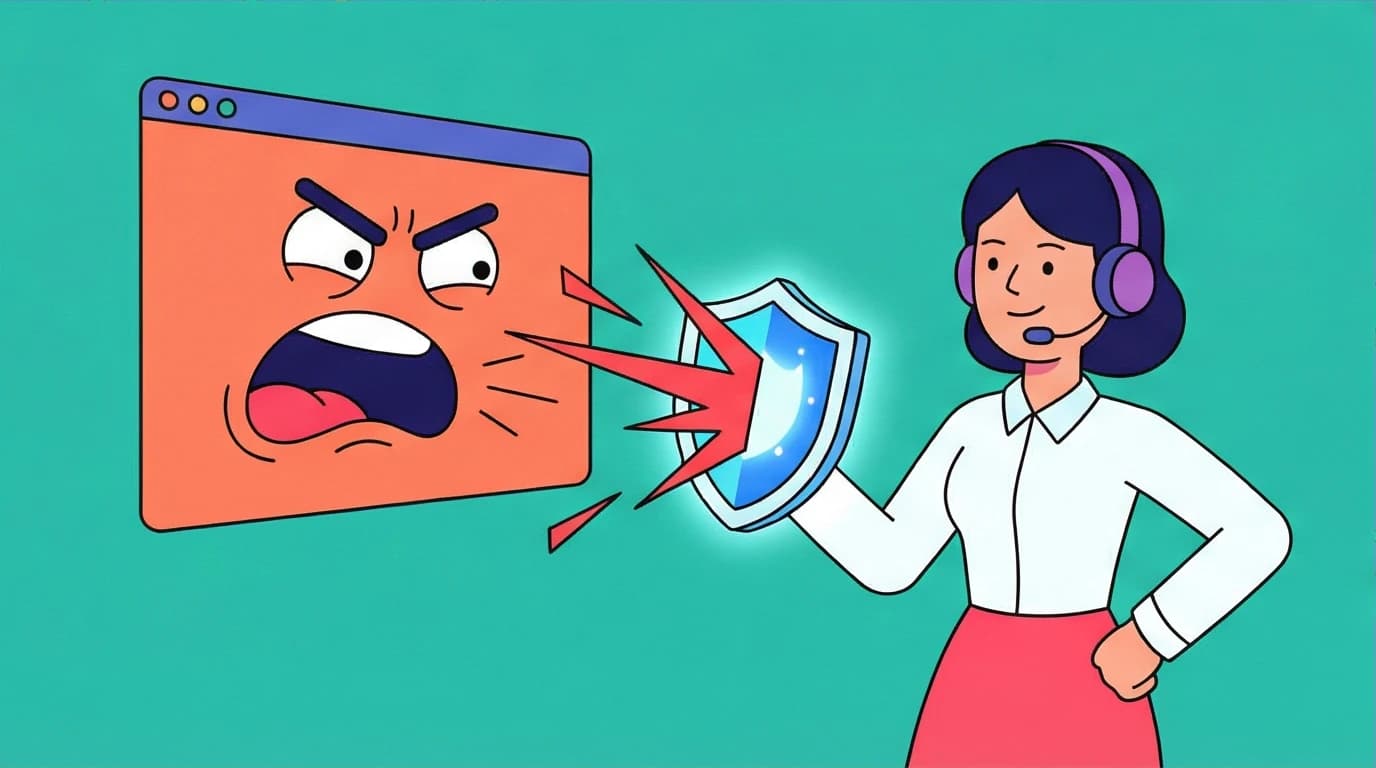
The Execution: Instead of a slide deck about empathy, the learner watches a 60-second, first-person point-of-view (POV) video. An actor playing a frustrated customer looks directly into the camera and complains about a delayed shipment. The video pauses. The learner faces a screen with three dialogue options. Choosing the wrong option triggers a quick video showing the customer getting angrier.
Why It Works: It creates safe failure. Emotional engagement is high because the learner feels the pressure of the moment without the real-world risk of losing a client.
2. The Whiteboard Animation Explainer
The Setup: A software company needs to explain a massive change in data privacy compliance to its engineers.
The Execution: A fast-paced, 90-second animated video where a hand draws the concepts on a digital whiteboard. It uses visual metaphors—like a vault and a key—to explain the new encryption standard, stripping away legal jargon.
Why It Works: Visual storytelling simplifies complex, dry topics. The dynamic movement on screen keeps the eye tracking, preventing the viewer from tabbing out to check their email.
The Execution: A fast-paced, 90-second animated video where a hand draws the concepts on a digital whiteboard. It uses visual metaphors—like a vault and a key—to explain the new encryption standard, stripping away legal jargon.
Why It Works: Visual storytelling simplifies complex, dry topics. The dynamic movement on screen keeps the eye tracking, preventing the viewer from tabbing out to check their email.
3. The Screencast GIF Tutorial
The Setup: Employees keep submitting expense reports incorrectly.
The Execution: An ultra-short, 15-second looping GIF embedded directly in the company's Slack channel or internal wiki. It shows a cursor clicking exactly where to upload the receipt and where to type the project code. No audio, no intro music, just raw instruction.
Why It Works: It lives right exactly where the problem occurs. It removes the barrier of logging into a formal learning portal just to answer a basic software question.
The Execution: An ultra-short, 15-second looping GIF embedded directly in the company's Slack channel or internal wiki. It shows a cursor clicking exactly where to upload the receipt and where to type the project code. No audio, no intro music, just raw instruction.
Why It Works: It lives right exactly where the problem occurs. It removes the barrier of logging into a formal learning portal just to answer a basic software question.
Harnessing Gamified Learning
If you want employees to build a habit of continuous learning, you need to introduce game mechanics. Gamified learning taps into natural human desires for mastery, competition, and achievement.
4. Spaced Repetition Flashcard Apps
The Setup: Pharmaceutical sales reps need to memorize complex drug interactions before hitting the field.
The Execution: Reps download a mobile app that sends a push notification every morning at 8:00 AM. They spend exactly three minutes answering five flashcard-style questions. If they get a question wrong, the algorithm ensures that specific concept reappears two days later. Correct answers earn points that feed into a regional leaderboard.
Why It Works: This is the cognitive science of spaced repetition at its finest. It fights the "forgetting curve" by forcing active recall over time, while the leaderboard taps into the competitive nature of sales teams.
The Execution: Reps download a mobile app that sends a push notification every morning at 8:00 AM. They spend exactly three minutes answering five flashcard-style questions. If they get a question wrong, the algorithm ensures that specific concept reappears two days later. Correct answers earn points that feed into a regional leaderboard.
Why It Works: This is the cognitive science of spaced repetition at its finest. It fights the "forgetting curve" by forcing active recall over time, while the leaderboard taps into the competitive nature of sales teams.


Build a daily learning habit in just 15 minutes. LeapAhead turns bestselling business books into bite-sized audio and text summaries to fit your team's busy schedule.
 LeapAhead
5. Book Summary Apps for Professional Development
The Setup: A company wants to foster a culture of continuous learning and leadership development, but employees say they're too busy or exhausted after work to read business books.
The Execution: The company encourages the use of a microlearning app like LeapAhead. Employees can listen to or read 15-minute summaries of bestselling non-fiction books on topics like productivity, leadership, and communication. The app uses daily goals and personalized recommendations to help build a consistent learning habit, turning a commute or lunch break into a chance for professional growth.
Why It Works: It lowers the barrier to entry for complex business concepts. Instead of feeling guilty about a "reading debt" of unread books, employees can absorb key ideas in short, manageable sessions. The audio format makes it a perfect example of just-in-time learning for employees who are frequently on the go, while features like visual summaries and key insight cards aid in long-term retention. While summaries can't replace the depth of reading a full book, they excel at introducing core concepts and reinforcing ideas from formal training.
The Execution: The company encourages the use of a microlearning app like LeapAhead. Employees can listen to or read 15-minute summaries of bestselling non-fiction books on topics like productivity, leadership, and communication. The app uses daily goals and personalized recommendations to help build a consistent learning habit, turning a commute or lunch break into a chance for professional growth.
Why It Works: It lowers the barrier to entry for complex business concepts. Instead of feeling guilty about a "reading debt" of unread books, employees can absorb key ideas in short, manageable sessions. The audio format makes it a perfect example of just-in-time learning for employees who are frequently on the go, while features like visual summaries and key insight cards aid in long-term retention. While summaries can't replace the depth of reading a full book, they excel at introducing core concepts and reinforcing ideas from formal training.
6. The "Escape Room" Compliance Module
The Setup: Annual cybersecurity training that everyone hates.
The Execution: The learner is dropped into a digital scenario: "A hacker has breached the server. You have 5 minutes to identify three phishing emails, spot the unsecured password on the virtual desk, and lock the firewall to stop the data leak." A visible countdown timer ticks at the top of the screen.
Why It Works: It turns a mandatory, boring checkbox exercise into a high-stakes puzzle. Time limits force focus, and the gamified context makes the actual learning objective (identifying security threats) feel like a byproduct of playing a game.
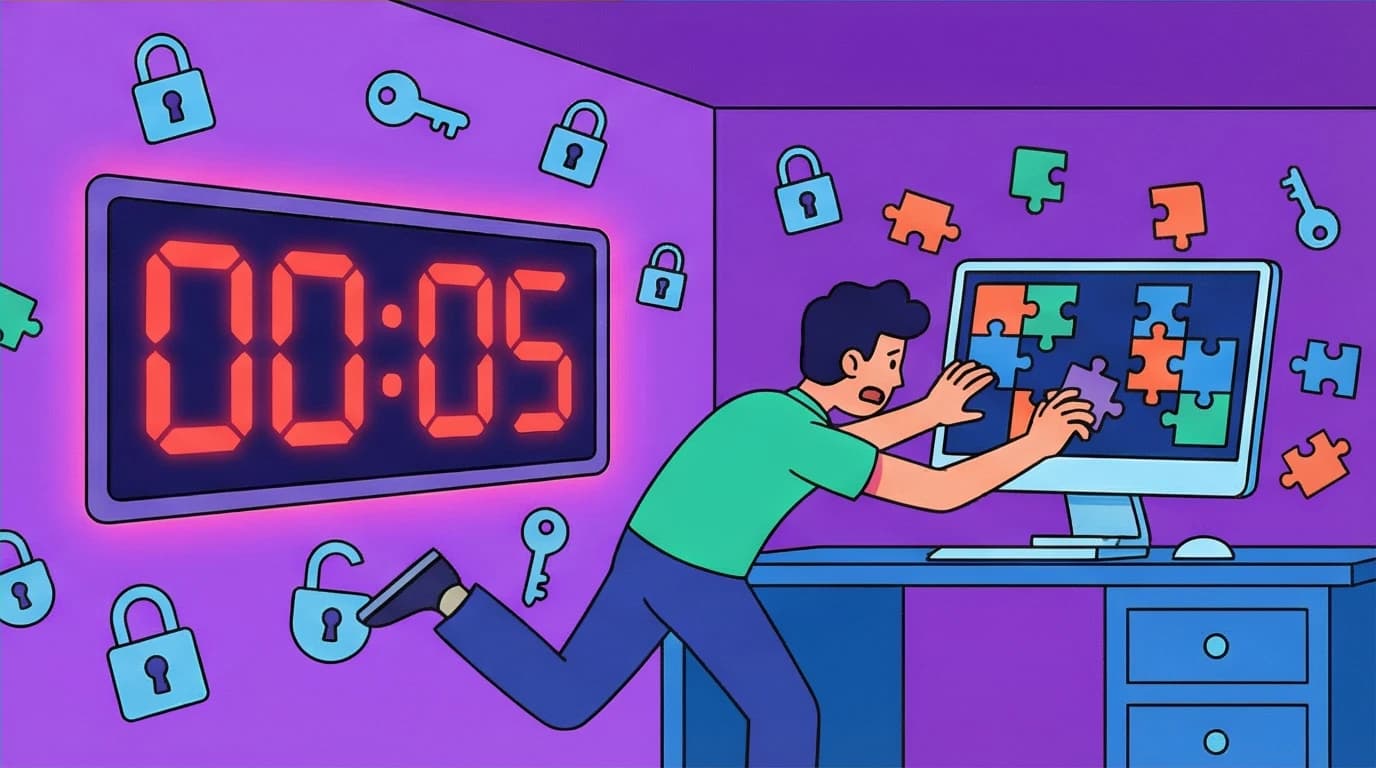
The Execution: The learner is dropped into a digital scenario: "A hacker has breached the server. You have 5 minutes to identify three phishing emails, spot the unsecured password on the virtual desk, and lock the firewall to stop the data leak." A visible countdown timer ticks at the top of the screen.
Why It Works: It turns a mandatory, boring checkbox exercise into a high-stakes puzzle. Time limits force focus, and the gamified context makes the actual learning objective (identifying security threats) feel like a byproduct of playing a game.
The reason gamified spaced repetition and time-bound scenarios work so well is that they directly combat the forgetting curve. Traditional training assumes that hearing something once means it is learned, but cognitive science proves otherwise. By forcing active recall and creating low-stakes testing environments, microlearning builds genuine long-term retention. If you want to dive deeper into the scientifically proven strategies behind active recall and effective knowledge retention to build better corporate training, this is a fascinating area to explore.
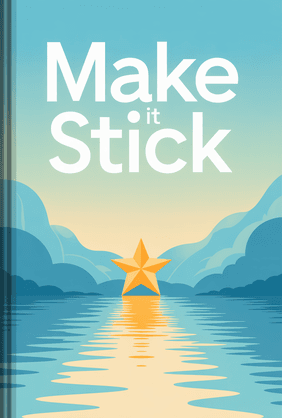
Make It Stick
Peter C. Brown, Mark A. McDaniel, Ph.D., Henry L. Roediger III, Ph.D.
18 Duration8 Key Points4.6 RateEssential Microlearning Formats by Scenario
Choosing the right format depends heavily on what you need the learner to do. Let's map specific microlearning formats to common corporate challenges.
Outstanding Employee Onboarding Examples
Onboarding is usually a firehose of information. New hires are handed a massive binder or put through three days of endless presentations, retaining almost nothing.
7. The "Day One" Text Message Drip
Instead of overwhelming a new hire on Monday morning, set up an automated SMS or Slack sequence.
Instead of overwhelming a new hire on Monday morning, set up an automated SMS or Slack sequence.
- Day 1 (8:00 AM): "Welcome! Here is a 1-minute video from our CEO."
- Day 2 (9:00 AM): "Time to set up your benefits. Here is a 3-step infographic to enroll."
- Day 3 (10:00 AM): "Let's meet the team. Check out this quick org chart interactive map."
This prevents cognitive overload. The new hire gets exactly the information they need, right at the moment they need to act on it.
Tired of training that doesn't stick? LeapAhead uses daily goals and 15-minute book summaries to make professional development a habit your employees will actually enjoy.
LeapAhead8. The Office Scavenger Hunt
For in-office or hybrid workers, create a mobile checklist. "Task 1: Find the supply closet and scan the QR code on the door. Task 2: Introduce yourself to one person in IT and get their favorite coffee order." It gamifies the physical space and forces social interaction, which is a critical part of onboarding.
For in-office or hybrid workers, create a mobile checklist. "Task 1: Find the supply closet and scan the QR code on the door. Task 2: Introduce yourself to one person in IT and get their favorite coffee order." It gamifies the physical space and forces social interaction, which is a critical part of onboarding.
Preventing cognitive overload during those crucial first weeks is the difference between a new hire thriving or burning out. When you swap an overwhelming three-day presentation marathon for structured, microlearning drip campaigns, you give employees the breathing room to actually absorb their new environment. For managers and HR professionals looking to completely overhaul how they integrate new talent and accelerate their time-to-value, understanding the critical transition period of a new role is essential.

The First 90 Days
Michael D. Watkins
32 Duration11 Key Points4.8 RateJust-In-Time Performance Support
Sometimes employees don't need a course; they just need a quick reminder right before they do a task.
9. Interactive PDFs and Battle Cards
Sales teams heading into a pitch against a specific competitor don't have time to watch a video. They need a single-page digital battle card on their tablet. It should feature drop-down menus highlighting the competitor's weak points and specific counter-arguments to use. This format is purely functional and designed for instant readability.
Sales teams heading into a pitch against a specific competitor don't have time to watch a video. They need a single-page digital battle card on their tablet. It should feature drop-down menus highlighting the competitor's weak points and specific counter-arguments to use. This format is purely functional and designed for instant readability.
10. Podcast-Style Audio Bytes
Field technicians driving between job sites, or remote workers taking a walk, can utilize audio. A 5-minute internal podcast interviewing the top-performing sales rep of the month about their closing strategy is a highly digestible format. It turns dead commute time into productive learning time without requiring screen attention.
Field technicians driving between job sites, or remote workers taking a walk, can utilize audio. A 5-minute internal podcast interviewing the top-performing sales rep of the month about their closing strategy is a highly digestible format. It turns dead commute time into productive learning time without requiring screen attention.
The beauty of just-in-time performance support is that it respects the employee's time and workflow. Giving a sales rep or field technician a simple, accessible checklist or battle card right when they need it is often far more powerful than making them sit through a comprehensive training course. It reduces errors and boosts confidence on the spot. If you want to see just how dramatically standardized, easily accessible reference tools can improve performance across any organization, looking at high-stakes industries is incredibly eye-opening.

The Checklist Manifesto
Atul Gawande
22 Duration10 Key Points4.6 RateHow to Build Your Own Microlearning Strategy
You have seen the examples. Now, how do you avoid building something that looks good but fails to deliver results?
Audit Your Current Content: Look at your longest, most boring training module. Identify the three absolute core behaviors you want to change. Strip away the history, the background theory, and the fluff.
Match the Medium to the Message:
Match the Medium to the Message:
- Need to show a software process? Use a screencast GIF.
- Need to teach soft skills or empathy? Use an interactive video scenario.
- Need to reinforce hard facts and specs? Use a gamified learning quiz.
Design for Mobile First: If the font is too small to read on a smartphone screen, or the buttons are too tiny to tap with a thumb, your microlearning will fail. Most employees consume short-form content on their phones during transitional moments in their day.
These principles provide a solid foundation. Once you're ready to move from concept to creation, a more detailed guide can help you navigate the instructional design process and ensure your content hits the mark.
Transitioning to microlearning requires a mindset shift. You are no longer an instructor delivering a lecture; you are a content creator designing a high-impact, low-friction experience. Start small. Take one onboarding module, turn it into a 3-minute interactive scenario, track the engagement metrics, and use that success to secure buy-in for your wider training strategy.
FAQ
What is the ideal length for a microlearning module?
The sweet spot is between 2 to 5 minutes. Anything under 1 minute is usually just a quick reference guide or job aid. Once you cross the 7-minute mark, completion rates drop significantly. Keep it strictly to one learning objective per module.
The sweet spot is between 2 to 5 minutes. Anything under 1 minute is usually just a quick reference guide or job aid. Once you cross the 7-minute mark, completion rates drop significantly. Keep it strictly to one learning objective per module.
Can microlearning completely replace all traditional corporate training?
No. Microlearning is terrible for teaching foundational, highly complex, or entirely new skill sets from scratch. If you are teaching a developer a brand-new programming language, they need deep, focused study. Microlearning is best used for reinforcement, onboarding drips, software updates, compliance, and spaced repetition of previously introduced concepts.
No. Microlearning is terrible for teaching foundational, highly complex, or entirely new skill sets from scratch. If you are teaching a developer a brand-new programming language, they need deep, focused study. Microlearning is best used for reinforcement, onboarding drips, software updates, compliance, and spaced repetition of previously introduced concepts.
How much does it cost to produce microlearning videos?
It ranges wildly. You can shoot a highly effective POV video using a smartphone and a $20 lapel mic for practically zero dollars. Professional whiteboard animations or branching interactive scenarios created in software like Articulate Storyline or Adobe Captivate can cost anywhere from $1,000 to $5,000 per minute of finished content, depending on the agency you hire. Start with low-fidelity, internal tools to prove the concept first.
It ranges wildly. You can shoot a highly effective POV video using a smartphone and a $20 lapel mic for practically zero dollars. Professional whiteboard animations or branching interactive scenarios created in software like Articulate Storyline or Adobe Captivate can cost anywhere from $1,000 to $5,000 per minute of finished content, depending on the agency you hire. Start with low-fidelity, internal tools to prove the concept first.