


You sit down at your desk at 8:00 AM, ready to tackle a major project. By 5:00 PM, you've answered fifty emails, attended three pointless meetings, and handled a dozen Slack emergencies, but your actual work hasn't moved an inch. This constant state of reactive firefighting drains your energy and stunts your career growth. The system is designed to distract you. To survive and thrive, you need a proactive system of your own.
The Reality of Workplace Productivity
Most professionals confuse being busy with being productive. Clearing out your inbox or replying to a Teams message within thirty seconds feels like work, but it rarely moves the needle on your core responsibilities. True workplace productivity requires a shift in mindset. You are paid to deliver results, not to be a human router for office communication.
When you focus on low-impact tasks, you rob yourself of the time needed for deep, strategic thinking. Your career advancement depends on your ability to execute high-value projects. Getting there means learning how to build boundaries around your time and attention.
Time Management for Professionals: Shift from Reactive to Proactive
Your calendar is the blueprint of your workday. If you leave it blank, other people will fill it with their priorities. Effective time management for professionals relies on intentional planning before the workday even begins.

Implement Strategic Time Blocking
Stop working out of a daily to-do list. To-do lists lack context regarding time. Instead, use time blocking. Allocate specific windows on your calendar for specific types of work.
- Maker Blocks: Schedule two-hour blocks of uninterrupted time for deep work. Treat this block with the same respect you would give a meeting with your CEO. No emails, no instant messaging, no phone calls.
- Manager Blocks: Group all your administrative tasks into specific windows. Dedicate 30 minutes in the morning and 30 minutes in the late afternoon to process emails, approve expenses, and clear administrative hurdles.
- Buffer Zones: Leave 15-minute gaps between meetings. Back-to-back Zoom calls lead to cognitive fatigue. You need time to digest information, capture action items, and reset for the next conversation.
Time blocking is just one of several powerful frameworks. For a comprehensive look at other popular systems like the Pomodoro Technique and Getting Things Done (GTD), exploring various productivity methods can help you find the perfect fit for your workflow.
Mastering the art of "Maker Blocks" and prioritizing high-impact tasks over reactive firefighting is the exact philosophy behind Cal Newport's acclaimed methodology. If you are struggling to carve out uninterrupted time in a noisy corporate environment, this read is incredibly insightful. It breaks down exactly how to push past shallow tasks, train your brain for intense concentration, and produce top-tier results without logging 60-hour workweeks.
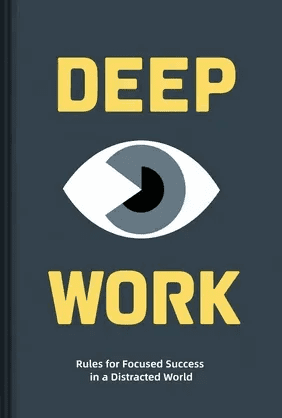
Deep Work
Cal Newport
 47 Duration
 8 Key Points
 4.6 Rate
Define Your Daily "Big Three"
Before you log off for the evening, identify the three most important tasks you must complete the next day. Write them down. When you start your next workday, attack the hardest of those three tasks first. Getting a quick win on a high-leverage project sets a productive tone for the rest of the day and protects you from getting derailed by morning email fires.
Defining your "Big Three" is a cornerstone of a powerful start to the day. To build on this habit, consider structuring your entire morning to optimize for focus and energy, ensuring you have the momentum to tackle your most important work.
Defending Your Attention: How to Focus at Work
Knowing what to do is only half the battle. Executing those tasks in a noisy environment is the real challenge. Learning how to focus at work requires building friction between yourself and your common distractions.

Tame the Communication Chaos
Slack, Microsoft Teams, and email are the biggest enemies of deep work. They operate on a principle of variable rewards, constantly pulling your brain away from the task at hand.
Take control of your communication channels:
- Turn off push notifications: Disable desktop and phone notifications for all communication apps. You should check messages on your schedule, not when the app demands your attention.
- Set status expectations: Use the status features on your messaging apps. If you are going into a deep work block, set your status to "Heads down until 11 AM - call if urgent." People respect clear boundaries.
- Batch process emails: Turn off the auto-fetch feature on your email client. Manually check your inbox three times a day. Read, reply, delegate, or archive. Do not use your inbox as a default resting state for your browser.
The Power of Asynchronous Work
Not every question requires an immediate answer. Train your team to operate asynchronously. If someone asks a non-urgent question, wait an hour to reply. If you reply instantly every time, you train your colleagues to rely on you as a crutch rather than thinking through problems themselves.
Getting a grip on asynchronous communication and fighting off the constant pings of office chat apps requires more than just sheer willpower—it requires a proven framework. Nir Eyal dives into the fascinating psychology behind why digital notifications are so addictive and offers practical, actionable strategies to take back control of your day. It’s an eye-opening guide for anyone looking to build a distraction-free work environment.

Indistractable
Nir Eyal
23 Duration10 Key Points4.5 RateAbsorbing the frameworks from these authors is key, but finding the focus to read a full book can be a challenge when your attention is already pulled in a dozen directions.

Learn the core ideas from bestselling books on focus and productivity in 15-minute audio sessions, perfect for reclaiming your attention on busy days.
Download LeapAhead App now
Avoiding Distractions at the Office
Whether you are navigating a bustling open-plan office in New York or managing a hybrid setup from your home office, physical and environmental distractions kill momentum. Avoiding distractions at the office requires clear visual cues and environmental design.
Surviving the Open-Plan Office
The open-floor plan is notorious for breaking concentration. You need strategies to signal to your coworkers that you are unavailable.
- The Headphone Rule: Invest in a high-quality pair of noise-canceling headphones. In most modern offices, wearing massive over-ear headphones is the universal sign for "do not disturb."
- Relocate for high-focus work: If your office has quiet pods, empty conference rooms, or a designated library area, use them. Changing your physical environment helps shift your brain into a different mode of focus.
- Direct communication: If a chatty coworker approaches your desk while you are focused, be polite but firm. Say, "I am right in the middle of this report. Can I come find you in 45 minutes?"
Optimizing the Home Office
Remote work removes the commute but introduces a new set of distractions: the laundry, the TV, and the blurring line between personal and professional time.
- Create a dedicated workspace: Never work from your bed or your living room sofa. Your brain needs geographical boundaries to associate specific locations with specific behaviors.
- Establish a shutdown ritual: When the workday is over, close your laptop, tidy your desk, and physically leave the space. This signals to your brain that work is done, allowing you to recharge for the next day.
Common Productivity Traps to Avoid
Even with a solid system, certain traps can pull you back into unproductive habits.

The Multitasking Delusion
Humans cannot multitask. What we actually do is task-switch rapidly, which drains glucose from the brain and increases error rates. When you try to write a proposal while listening to a conference call, you do both poorly. Do one thing at a time. Finish it. Move on.
Humans cannot multitask. What we actually do is task-switch rapidly, which drains glucose from the brain and increases error rates. When you try to write a proposal while listening to a conference call, you do both poorly. Do one thing at a time. Finish it. Move on.
Beyond multitasking, the tendency to delay important tasks can sabotage even the best-laid plans. Understanding the psychological triggers behind this behavior is the first step to breaking the cycle of procrastination and reclaiming your focus.
The "Yes" Trap
Taking on every project asked of you is a fast track to burnout. Top performers know how to manage expectations. When your manager hands you a new project, you don't have to flatly say "no." Instead, negotiate the priority. Say, "I can absolutely take that on. Right now, I'm working on Project A and Project B. Which of those should I pause so I can focus on this new request?" This forces leadership to make a priority decision, protecting your workload.
Taking on every project asked of you is a fast track to burnout. Top performers know how to manage expectations. When your manager hands you a new project, you don't have to flatly say "no." Instead, negotiate the priority. Say, "I can absolutely take that on. Right now, I'm working on Project A and Project B. Which of those should I pause so I can focus on this new request?" This forces leadership to make a priority decision, protecting your workload.
Learning how to push back on new projects and politely decline requests is one of the most vital professional skills you can cultivate. If you constantly fall into the "yes" trap, Greg McKeown provides a phenomenal roadmap for changing your mindset. His approach teaches you how to ruthlessly eliminate the trivial many so you can fully commit your energy to the essential few, ultimately protecting your time and preventing burnout.
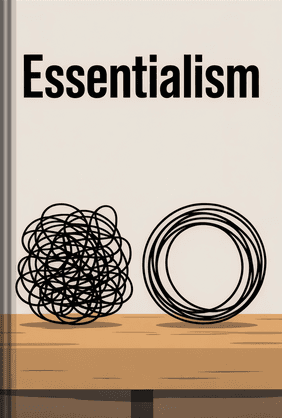
Essentialism
Greg McKeown
32 Duration10 Key Points4.6 RatePerfectionism on Low-Value Tasks
Not everything needs to be perfect. An internal weekly update email does not need the polish of a Q4 board presentation. Learn to match your effort to the impact of the task. Apply the 80/20 rule: deliver 80% of the value in 20% of the time for routine tasks, and save your perfectionism for the projects that actually matter.
Not everything needs to be perfect. An internal weekly update email does not need the polish of a Q4 board presentation. Learn to match your effort to the impact of the task. Apply the 80/20 rule: deliver 80% of the value in 20% of the time for routine tasks, and save your perfectionism for the projects that actually matter.
Applying the 80/20 rule to your daily task list can completely transform how you view your job, but it is just the tip of the iceberg. If you want to understand how this powerful principle can help you streamline your workflow, maximize your professional impact, and drastically reduce your time spent on low-value perfectionism, Richard Koch’s foundational book is an absolute must-read. It will completely rewire how you evaluate your daily output.

The 80/20 Principle
Richard Koch
23 Duration9 Key Points4.6 RateThis article mentions several game-changing books on productivity. If you're feeling motivated to learn but too drained after work to tackle a full reading list, there's a smarter way to absorb these exact insights.
Get takeaways from books like 'Essentialism' and 'The 80/20 Principle' in 15-minute summaries that fit into your commute or workout—no more reading debt.
Download LeapAhead App now
FAQ
How do I handle a company culture that expects immediate replies on Teams or Slack?
Start small. You cannot change company culture overnight, but you can change your personal availability incrementally. Delay your responses by 10 minutes, then 20 minutes. Use your status updates to communicate your focus periods. Most "emergencies" resolve themselves or can wait an hour. If someone truly needs you immediately, they will call your phone.
Start small. You cannot change company culture overnight, but you can change your personal availability incrementally. Delay your responses by 10 minutes, then 20 minutes. Use your status updates to communicate your focus periods. Most "emergencies" resolve themselves or can wait an hour. If someone truly needs you immediately, they will call your phone.
How do I prioritize when my boss says everything is an urgent priority?
When everything is urgent, nothing is. Make your workload visible. Create a simple list of your current projects and ask your boss for a 10-minute alignment meeting. Present the list and ask, "If I can only complete two of these by Friday, which two are the absolute highest priority for the business?" This shifts the burden of prioritization back to where it belongs: management.
When everything is urgent, nothing is. Make your workload visible. Create a simple list of your current projects and ask your boss for a 10-minute alignment meeting. Present the list and ask, "If I can only complete two of these by Friday, which two are the absolute highest priority for the business?" This shifts the burden of prioritization back to where it belongs: management.
I have so many meetings that I have no time to execute the work. What should I do?
Audit your calendar aggressively. For every meeting, ask yourself: Does this meeting have a clear agenda? Am I actively contributing, or just listening? If there is no agenda, decline it and ask the organizer for the bullet points. If you are just listening, ask if you can skip it and read the meeting notes afterward. Reclaim at least 20% of your meeting time and convert it into execution blocks.
Audit your calendar aggressively. For every meeting, ask yourself: Does this meeting have a clear agenda? Am I actively contributing, or just listening? If there is no agenda, decline it and ask the organizer for the bullet points. If you are just listening, ask if you can skip it and read the meeting notes afterward. Reclaim at least 20% of your meeting time and convert it into execution blocks.