


You are burning hours re-reading notes, highlighting textbooks, or flipping through cumbersome stacks of physical index cards, yet the information vanishes when test day arrives. High-stakes tests like the USMLE, LSAT, or advanced certification exams require retaining massive volumes of data. Manual study methods fail because they do not track your memory decay. You need a digital infrastructure that logs your retention rates, predicts when you are about to forget a concept, and forces your brain to recall it on demand.
The Engineering Behind Active Recall Software
Active recall is the process of deliberately retrieving information from your brain without looking at the source material. However, active recall alone is inefficient without scheduling.
Reliable active recall software pairs this retrieval practice with a Spaced Repetition System (SRS). An SRS algorithm calculates the precise interval at which a piece of information should be tested again based on how difficult it was for you to recall it the last time. If you answer easily, the card is pushed days, weeks, or months into the future. If you struggle, it reappears in minutes. This flattens the "forgetting curve" and ensures you only spend time on concepts you are actually close to forgetting, optimizing every minute of your study session.


Overwhelmed by dense textbooks? Use LeapAhead to absorb the main ideas of bestselling nonfiction books in just 15 minutes, making your active recall sessions more focused and effective.
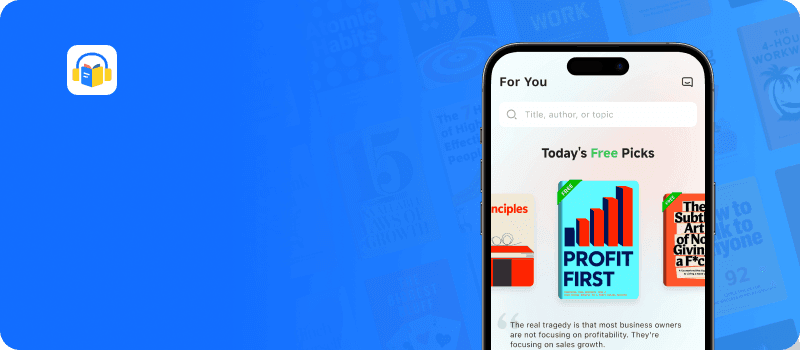
Download LeapAhead App now
Understanding the algorithms behind these apps is just the first step in overhauling your study habits. If you are fascinated by the cognitive science of memory and want to master the underlying mechanics of retrieval practice, diving deeper into the research is incredibly rewarding. The definitive guide on this topic reveals exactly why traditional studying methods like highlighting fail, and why embracing the struggle of active recall builds unbreakable neural pathways. To truly optimize your learning strategy, consider exploring this foundational text on the science of successful learning.
Make It Stick
Peter C. Brown, Mark A. McDaniel, Ph.D., Henry L. Roediger III, Ph.D.
 18 Duration
 8 Key Points
 4.6 Rate
Pure Flashcard Apps for Active Recall
When your primary goal is to memorize thousands of discrete data points—such as medical terminology, legal precedents, or programming syntax—dedicated flashcard apps for active recall offer the highest efficiency and the most robust scheduling algorithms.
Anki: The Open-Source Standard
Anki is the heavyweight champion of the studying world. Built on open-source architecture, it prioritizes algorithmic efficiency over a modern user interface. For high-volume learners, Anki active recall is non-negotiable.
- The Algorithm: Anki utilizes modified SM-2 and newer FSRS (Free Spaced Repetition Scheduler) algorithms, giving you granular control over exact intervals, learning steps, and ease modifiers.
- Customization: You can script custom card types using HTML and CSS, embed audio, and sync across your Mac, PC, and mobile devices natively.
- The Ecosystem: The true power of Anki lies in its add-ons and shared decks. For medical students, pre-made decks like AnKing offer tens of thousands of highly optimized cards. Image occlusion add-ons allow you to mask parts of diagrams for immediate testing.
- The Verdict: Choose Anki if you need to memorize a massive database of facts over several months or years and are willing to navigate a steep initial learning curve.
Brainscape: Confidence-Based Repetition
Brainscape bridges the gap between powerful algorithms and a modern, frictionless user interface. It focuses heavily on strict cognitive science principles while maintaining accessibility for users who find Anki's interface outdated.
- 1-5 Scale Mechanic: Instead of binary "pass/fail" buttons, Brainscape asks you to rate your confidence on a 1-5 scale after revealing the answer. This nuance feeds into its proprietary scheduling algorithm, dictating exact intervals.
- Deck Organization: The platform makes it incredibly easy to organize subjects, classes, and discrete decks, and track your mastery percentage visually.
- The Verdict: Ideal for learners who want premium algorithms right out of the box without downloading add-ons or dealing with clunky formatting.
While digital flashcards handle the heavy lifting of scheduling your reviews, maximizing your retention also requires understanding how your brain actually absorbs information. It turns out that a lot of what we were taught about studying in school—like locking ourselves in a quiet room for hours—actually works against our biology. If you are curious about how mixing up your practice and changing your environment can drastically improve your test scores, there is some fascinating science that completely flips the script on traditional education.
How We Learn
Benedict Carey
22 Duration10 Key Points4.7 RateIntegrated Active Recall Tools: Note-Taking Meets Testing
Creating flashcards in one application and taking lecture notes in another introduces severe workflow friction. A new generation of active recall tools blends outliner logic and bidirectional linking directly with spaced repetition, allowing you to generate testable content as you type.

RemNote: The Native Knowledge Base
RemNote was built from the ground up by MIT cognitive scientists specifically for students. It eliminates the distinction between taking notes and making flashcards.
- Concept-Driven Formatting: Every bullet point (a "Rem") in RemNote can instantly become a flashcard by simply typing
>>. This allows you to maintain the context of your notes. You read the hierarchy of the lecture, but the software extracts the bullets into an SRS queue. - Advanced Card Types: RemNote supports cloze deletions (fill-in-the-blank), multi-line answers, and image occlusion natively.
- The Verdict: If your primary bottleneck is the time it takes to convert your class notes into a testable format, RemNote cuts that conversion time to zero.
LeapAhead: Rapid Knowledge Acquisition for Core Concepts
While not a flashcard creation tool itself, LeapAhead excels at the critical first step in any study workflow: rapid comprehension. It’s a microlearning app that delivers 15-minute text and audio summaries of over 30,000 nonfiction books, allowing you to quickly absorb the foundational arguments of a complex subject before you begin creating your own active recall prompts.
- Efficient Microlearning: By distilling entire books into 15-minute summaries, LeapAhead allows you to build a foundational understanding of a topic during a commute, workout, or break. This "pre-learning" makes subsequent deep study sessions more productive.
- Broad Subject Mastery: The extensive library covers topics from productivity and leadership to science and history, serving as an ideal starting point when you need to get up to speed on a new field quickly.
- Memory-Focused Content: Features like visual infographics and curated learning paths for specific goals (e.g., "Career Success Strategies") help you grasp and retain the big picture, making it easier to identify the key facts worth turning into flashcards later.
- The Verdict: Best for students and professionals who need to quickly grasp the core arguments of complex non-fiction books before committing them to a dedicated SRS. It’s a primer and comprehension accelerator, not a replacement for active recall systems.
Obsidian + Spaced Repetition Plugins
Obsidian is a highly technical, privacy-first markdown text editor favored by developers and researchers. Because it operates on local text files, you own your data forever.
- Plugin Integration: By installing community plugins like Spaced Repetition or Obsidian to Anki, you can tag markdown files or specific blocks of text for review. The plugin parses your notes and surfaces them according to SRS logic right within your vault.
- The Verdict: Perfect for programmers and writers who demand a local-first workspace and want active recall directly tied to a massive, interconnected Zettelkasten.
Struggling to find time to learn the source material? Get 15-minute book summaries with LeapAhead to grasp core concepts before you even start making flashcards.
Download LeapAhead App now
Building a massive, interconnected database in tools like Obsidian or RemNote is a game-changer for tackling complex, highly technical subjects. But having the right software is only half the battle when you are trying to master a difficult skill like programming or a new language on your own. You also need a strategic roadmap for your self-directed education. For those looking to accelerate their career or pass grueling certification exams outside of a traditional classroom, adopting an intense, self-directed learning framework can help you absorb hard skills in record time.
Ultralearning
Scott H. Young
32 Duration8 Key Points4.5 RateCustomizing Your Testing Environment
Some users prefer a completely bespoke dashboard to manage their entire academic or professional life, pulling active recall into a broader project management framework.
Notion: The Customizable Workspace
Notion is essentially a set of digital Lego blocks. It does not have a native, built-in spaced repetition algorithm, but its robust database properties and formula capabilities allow you to construct one manually.

- Toggle Features: The simplest way to use Notion for active recall is through the toggle block. Write the question as the toggle header, hide the answer inside, and test yourself before clicking to expand.
- Database Algorithms: You can build a review tracking database. By assigning a "Last Reviewed" date property and a "Confidence Level" select property, you can write a Notion formula that calculates the "Next Review Date." You then filter your database view to only show items scheduled for today.
- Streamlining the Setup: Building this from scratch requires an understanding of advanced formulas. Most efficient learners skip the setup phase entirely and integrate a premium Notion active recall template designed by workspace architects, immediately unlocking functional SRS tracking within their existing Notion dashboards.
- The Verdict: Best for individuals who prioritize having their entire life—tasks, calendars, notes, and study materials—in a single, unified aesthetic dashboard and do not require millisecond-level algorithm precision.
Strategic Execution: Mapping the App to the Exam
Selecting the right application dictates your daily study velocity. Use this framework to finalize your choice:
- For sheer volume and long-term retention (e.g., Medical Board Exams, Bar Exam, Language Fluency): Deploy Anki. Nothing else handles 10,000+ cards with the same stability and algorithmic precision.
- For complex conceptual subjects (e.g., Physics, Engineering, Law School Finals): Use RemNote. The ability to see the hierarchical context of your notes while reviewing flashcards prevents rote memorization of isolated facts without understanding the big picture.
- For rapid pre-learning and big-picture context: Use LeapAhead to absorb the key ideas of a subject in 15 minutes. This front-loads your comprehension, making the subsequent creation of detailed flashcards in Anki or RemNote much faster and more effective.
- For visual learners and collaborative study groups (e.g., AP Exams, College Undergrad Courses): Use Brainscape or Quizlet. The user interfaces allow for rapid sharing, and the mobile apps provide excellent on-the-go review sessions.
- For holistic dashboard builders (e.g., Project Management Certifications, Self-Taught Programmers): Implement a Notion database system. It keeps your curriculum tracking, resources, and self-testing localized in one workspace.
Selecting the perfect spaced repetition software will undoubtedly streamline your curriculum, but none of these tools work if you cannot sit down and focus. High-stakes exam prep requires intense, uninterrupted concentration that goes far beyond simply logging into an app. In an age of constant digital distractions, the ability to lock in and engage in deep, cognitively demanding tasks is a rare and valuable skill. If you find yourself constantly checking your phone between flashcard reviews, mastering the art of distraction-free productivity will be your ultimate competitive advantage.
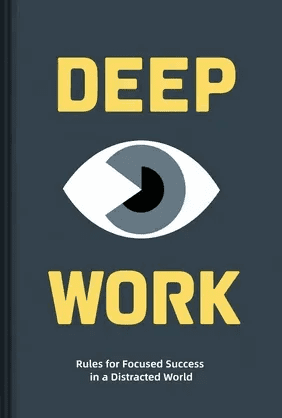
Deep Work
Cal Newport
47 Duration8 Key Points4.6 RateFAQ
How much time should I spend making digital flashcards versus studying them?
Card creation should consume no more than 20% of your total study time. The value of active recall happens during the retrieval phase, not the typing phase. Keep cards atomized: one card, one discrete fact. If you find yourself spending hours formatting, switch to an integrated tool like RemNote or download pre-made Anki decks.
Card creation should consume no more than 20% of your total study time. The value of active recall happens during the retrieval phase, not the typing phase. Keep cards atomized: one card, one discrete fact. If you find yourself spending hours formatting, switch to an integrated tool like RemNote or download pre-made Anki decks.
Is Anki better than Quizlet for complex exams?
Yes. Quizlet is an excellent tool for short-term cramming and standard high school tests, but its spaced repetition algorithm is locked behind paywalls and lacks the granular customization of Anki. For exams requiring months of sustained study and retention of thousands of data points, Anki’s FSRS algorithm is mathematically superior at predicting memory decay.
Yes. Quizlet is an excellent tool for short-term cramming and standard high school tests, but its spaced repetition algorithm is locked behind paywalls and lacks the granular customization of Anki. For exams requiring months of sustained study and retention of thousands of data points, Anki’s FSRS algorithm is mathematically superior at predicting memory decay.
Can I automate active recall natively in Notion?
Notion does not possess native background algorithms that automatically push cards to you based on cognitive feedback. You must manually change status properties, or rely on complex database formulas to dictate "next review dates." If you want complete automation without database maintenance, a dedicated tool is more effective.
Notion does not possess native background algorithms that automatically push cards to you based on cognitive feedback. You must manually change status properties, or rely on complex database formulas to dictate "next review dates." If you want complete automation without database maintenance, a dedicated tool is more effective.
Do these apps work seamlessly across Mac, PC, and mobile?
The top-tier applications—Anki, Brainscape, and RemNote—all feature cloud syncing (AnkiWeb provides this for free) that bridges desktop applications with iOS and Android counterparts. This ecosystem allows you to build complex cards on a computer using keyboard shortcuts, and review them during your commute via mobile.
The top-tier applications—Anki, Brainscape, and RemNote—all feature cloud syncing (AnkiWeb provides this for free) that bridges desktop applications with iOS and Android counterparts. This ecosystem allows you to build complex cards on a computer using keyboard shortcuts, and review them during your commute via mobile.