

Lugging a heavy hardcover on a crowded subway commute isn't practical. You want your entire library right in your pocket, ready to open the second you grab a seat. But transitioning from physical pages to a digital screen comes with friction. Poor formatting, harsh white backgrounds, and confusing navigation can cause instant eye strain and pull you right out of a good story. You need an app that makes digital reading comfortable, highly customizable, and easy to manage.

Making the switch to digital reading on your commute is one of the easiest ways to build a consistent reading routine. If you want to leverage your iPhone to read dozens of books a year, it helps to understand the science of daily habit formation. This incredibly popular guide will show you how to stack small, daily actions—like opening your reading app instead of a social media feed the second you sit on the subway—into massive long-term results.

Atomic Habits
James Clear
 26 Duration
 8 Key Points
 4.7 Rate
Finding the top reading apps iOS has to offer means looking past basic text display. It requires evaluating how easily you can adjust fonts, switch to dark mode, organize your collections, and actually get your books onto your phone.
Here is the breakdown of the best tools to transform your iPhone into the ultimate portable reading device.
Amazon Kindle: The Heavyweight Ecosystem Choice
You do not need a physical Kindle device to use the Kindle app. For avid readers who buy their books directly from Amazon, the Kindle app remains the undisputed champion.
Why It Stands Out
The integration is seamless. You buy a book on Amazon, and it instantly appears on your iPhone. What makes it incredibly sticky for daily commuters is Whispersync technology. If you switch between an audiobook on Audible while walking and the text version on your iPhone while riding the bus, the app remembers exactly where you left off.
Customization and Interface
The reading interface offers highly practical customization. You can easily adjust margins, line spacing, and background color (white, sepia, green, or black for night reading). The app also provides access to Amazon's proprietary fonts like Bookerly, which is specifically designed for digital screens to reduce eye fatigue.
Best for: Readers heavily invested in the Amazon ecosystem, Kindle Unlimited subscribers, and those who frequently switch between audiobooks and text.
The ability to switch between text and audio is a powerful feature for commuters. If listening is a key part of your reading habit, it's worth exploring the landscape of dedicated apps.
Apple Books: The Seamless Native Experience
If you bought an iPhone, you already have Apple Books. For many, it serves as the best ebook reader app simply because it requires zero setup and features the polished, minimalist design Apple is known for.
Why It Stands Out
Apple Books shines in its simplicity. The interface is completely uncluttered. Page turns mimic the physical curl of real paper, a small detail that makes the transition from print to digital feel more natural. Buying books through the built-in store requires just a double-click of the side button using Apple Pay.
Customization and Interface
It handles PDFs and standard EPUB files flawlessly. If you download a book from a public domain site like Project Gutenberg through Safari, you can tap "Open in Books" and it immediately drops into your library. You get great font selections like San Francisco and Palatino, alongside excellent auto-switching dark mode tied to your iPhone's system settings.
Best for: Minimalists who want a straightforward, beautiful interface without creating third-party accounts or dealing with complex settings.
Once you have a seamless setup like Apple Books ready to go, the next step is ensuring you actually retain what you read. Swiping through digital pages can sometimes lead to passive skimming rather than deep comprehension. If you want to elevate your understanding and truly engage with the ebooks you download, this classic manual offers timeless techniques for active reading. Its analytical methods apply just as powerfully to a backlit iPhone screen as they do to a traditional paperback.
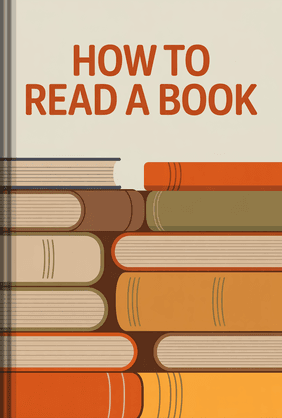
How to Read a Book
Mortimer J. Adler, Charles Van Doren
18 Duration8 Key Points4.7 RateLibby, by OverDrive: The Best Free Library App
Reading habits can get expensive. If your budget is tight but your reading appetite is massive, Libby is the only app you need.

Why It Stands Out
Libby connects directly to your local public library. As long as you have a valid library card from a participating US library network, you can borrow ebooks and audiobooks completely free. There are no subscription fees and no late charges—books simply return themselves when your lending period ends.
Customization and Interface
The app features an intuitive tag system to organize your "To Be Read" pile. The reading interface is clean, allowing you to adjust text size, lighting, and book design. It even offers an "Open in Kindle" option for many titles if you prefer reading inside the Amazon app but borrowing through the library.
Best for: Budget-conscious readers and heavy library users.
Libby is a fantastic tool for tapping into your local library's catalog, but other services offer different selections and borrowing rules.
PocketBook Reader: The Ultimate Apple Books Alternative
While Apple Books handles basic EPUB files well, power users who download books from various DRM-free bundles (like Humble Bundle) or independent publishers often hit a wall with library organization. If you need a robust Apple Books alternative, PocketBook Reader is a top-tier choice.
Why It Stands Out
PocketBook is a powerhouse for format compatibility. It doesn't just read standard formats; it handles EPUB, FB2, MOBI, PDF, DJVU, and CBR/CBZ (for comic books). You are not locked into any specific store. You can sync your library via Google Drive, Dropbox, or PocketBook Cloud, making it incredibly easy to pull files from your computer directly to your phone.
Customization and Interface
This app gives you absolute control over the reading layout. You can crop margins on PDFs to make them legible on an iPhone screen, customize tap zones for page turning, and tweak text layouts far beyond what native apps allow.
Best for: Digital hoarders and power users who bring their own files and need maximum format support.
Yomu EBook Reader: The Minimalist Sideloading Champion
When searching for a dedicated epub reader iPhone app, many users feel overwhelmed by the cluttered interfaces of third-party options. Yomu strips all of that away.
Why It Stands Out
Yomu is an independent reader designed specifically for iOS. It focuses strictly on typography and a distraction-free layout. You can import EPUB, MOBI, and PDF files via iCloud Drive, Dropbox, or standard iOS file sharing.
Customization and Interface
Yomu’s custom reading themes automatically adjust to your environment. It uses smart rendering to ensure that even poorly formatted third-party EPUB files look crisp and professional on your screen. The fluid navigation and clean typography make it feel like a premium native app.
Best for: Design-conscious readers who want a beautiful, distraction-free environment for their sideloaded books.
The distraction-free environment of minimalist apps like Yomu perfectly complements the philosophy of using technology with careful intention. When your iPhone isn't cluttered with endless alerts and flashy interfaces, it instantly transforms into a powerful tool for focused leisure. For readers looking to completely overhaul their relationship with their mobile devices and carve out more quiet, uninterrupted time for reading, this insightful book provides a brilliant framework for purposefully decluttering your digital life.
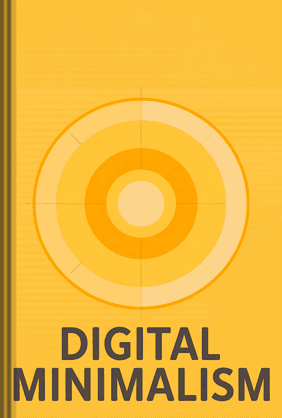
Digital Minimalism
Cal Newport
20 Duration8 Key Points4.7 Rate
How to Choose Your Perfect Reading App
Selecting the right app comes down to three specific questions about your reading habits.
1. Where do your books come from?
If you rely on one-click purchases, stick to Amazon Kindle or Apple Books. If you borrow, download Libby. If you maintain a massive folder of DRM-free files on your hard drive, you need an independent reader like PocketBook or Yomu.
If you rely on one-click purchases, stick to Amazon Kindle or Apple Books. If you borrow, download Libby. If you maintain a massive folder of DRM-free files on your hard drive, you need an independent reader like PocketBook or Yomu.
2. Does typography matter to you?
If you get easily annoyed by weird line breaks, missing paragraph indents, or harsh contrasts, you need an app with high customization. Apps that let you upload your own fonts or heavily tweak background colors will protect your eyes during long commutes.
If you get easily annoyed by weird line breaks, missing paragraph indents, or harsh contrasts, you need an app with high customization. Apps that let you upload your own fonts or heavily tweak background colors will protect your eyes during long commutes.
3. Do you read across multiple devices?
If you want to read on your iPhone during your commute and pick up an iPad or a dedicated e-ink tablet at home, cloud syncing is non-negotiable. Amazon leads here, but PocketBook Cloud offers excellent syncing for users who refuse to use a closed ecosystem.
If you want to read on your iPhone during your commute and pick up an iPad or a dedicated e-ink tablet at home, cloud syncing is non-negotiable. Amazon leads here, but PocketBook Cloud offers excellent syncing for users who refuse to use a closed ecosystem.
Regardless of which app ecosystem you ultimately choose, the biggest hurdle to reading on a smartphone is fighting the urge to check your email or messages. Our devices are engineered to constantly fracture our attention. If you find yourself struggling to stay focused on an ebook for more than ten minutes at a time, this eye-opening investigation dives into exactly why our collective concentration is collapsing, offering actionable ways to finally reclaim your attention for deep, uninterrupted reading.
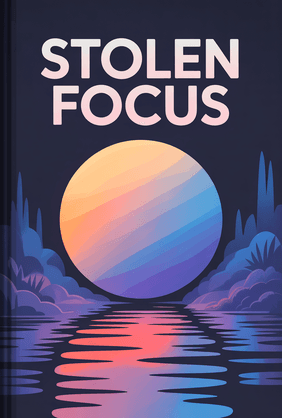
Stolen Focus
Johann Hari
20 Duration8 Key Points4.7 RateAnd for those times when your focus is already too scattered for a full book, some apps are designed specifically for this reality.
This new category of apps helps you grasp big ideas in minutes.

This app delivers a book's core insights in 15-minute bursts, making it easy to learn something new without needing hours of deep focus.
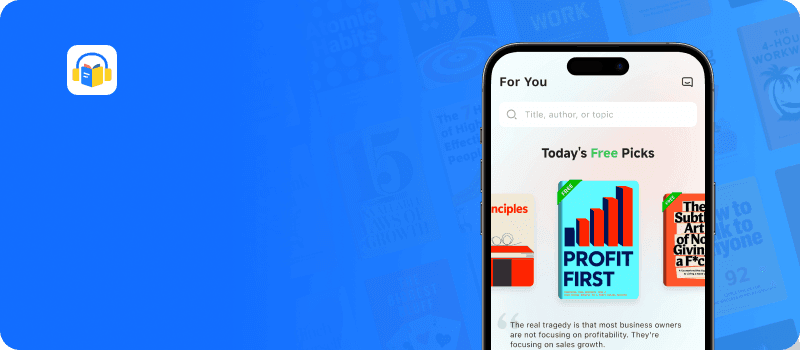
Download LeapAhead App now
FAQ
Can I read EPUB files on my iPhone without using Apple Books?
Yes. While Apple Books opens EPUB files by default, you can install third-party apps like Yomu, PocketBook Reader, or Marvin. Simply save the EPUB to your iPhone's Files app, long-press the file, select "Share," and choose your preferred reading app to import it.
Yes. While Apple Books opens EPUB files by default, you can install third-party apps like Yomu, PocketBook Reader, or Marvin. Simply save the EPUB to your iPhone's Files app, long-press the file, select "Share," and choose your preferred reading app to import it.
Are these reading apps completely free?
Most reading apps, including Kindle, Apple Books, and Libby, are completely free to download and use. Libby provides free books through your local library. However, Kindle and Apple Books require you to purchase the actual content. Apps like Yomu offer a free tier but may lock premium themes or unlimited document imports behind a small one-time purchase.
Most reading apps, including Kindle, Apple Books, and Libby, are completely free to download and use. Libby provides free books through your local library. However, Kindle and Apple Books require you to purchase the actual content. Apps like Yomu offer a free tier but may lock premium themes or unlimited document imports behind a small one-time purchase.
Does reading on an iPhone drain the battery quickly?
Reading static text is generally battery-efficient compared to watching videos or playing games. To maximize your battery life during long commutes, lower your screen brightness, switch to dark mode (which uses less power on OLED iPhone screens), and download your books for offline reading rather than relying on a constant cellular connection.
Reading static text is generally battery-efficient compared to watching videos or playing games. To maximize your battery life during long commutes, lower your screen brightness, switch to dark mode (which uses less power on OLED iPhone screens), and download your books for offline reading rather than relying on a constant cellular connection.