

Stop downloading reading apps that promise a free story only to lock chapter three behind a "gem" or "coin" paywall. You just want a good book to read on your morning commute or between classes without adding another $10 monthly subscription to your budget.
If you want to read books for free on iPhone, you need apps that are genuinely free. No trial periods. No premium currencies. No bait-and-switch tactics. Here is exactly what you should download to build a massive digital library on your phone without spending a dime.
The Library Loophole: Apps for Modern Bestsellers

If you want to read the same books currently sitting on the front tables at Barnes & Noble or trending on Goodreads, public library apps are your only legal, truly free option. You just need a local library card.
1. Libby (by OverDrive)
Libby is arguably the single most valuable app on the iOS App Store for readers. Connected directly to your local public library system, it functions as a massive digital branch. You plug in your library card number, browse your local branch's digital inventory, and borrow ebooks and audiobooks instantly.
Why it belongs on your iPhone:
- Zero cost: It is entirely taxpayer-funded. You will never see a prompt for a credit card.
- Offline reading: Libby is one of the best free offline reading apps available. When you borrow a book on Wi-Fi, it downloads automatically. You can read it anywhere without using cellular data.
- Audiobook support: You get full access to premium audiobooks that would normally cost $15+ on Audible.
The Catch: Just like a physical library, digital copies are limited. If a new Stephen King novel drops, you might have to place a hold and wait a few weeks for your turn.
Speaking of Stephen King, if you're looking to test out Libby's audiobook or ebook features, you can't go wrong with one of his most iconic works. While you might have to wait on a digital hold list for his newest releases, many local libraries keep multiple copies of his classic horror novels readily available. It’s the perfect, spine-chilling read to download for your next long flight or daily commute.
2. Hoopla Digital
Hoopla operates similarly to Libby but uses a different licensing model. Instead of waiting in line for a specific digital copy, everything you see on Hoopla is available immediately. There are no waitlists.
Why it belongs on your iPhone:
- Instant access: Find a book, tap borrow, and start reading.
- Massive comic collection: Hoopla is famous for its massive graphic novel and comic book catalog, including major runs from Marvel and DC.
- Monthly limits: Your library sets a limit on how many items you can borrow per month (usually between 5 and 15). Once you hit the limit, you wait until the first of the next month.
Pro Tip for College Students: Many university libraries offer access to both Libby and Hoopla using your student ID. Check with your campus librarian.
And what if the book you want has a long waitlist, or you're just too busy for a 400-page read? For times when you need the key insights from a nonfiction bestseller fast, a summary app can be a great supplement.

Use your commute to absorb the main ideas from popular nonfiction books while you wait for your library loan to become available.
 LeapAhead
The Public Domain Giants: Keep Books Forever

If you enjoy classic literature, historical nonfiction, or early sci-fi, you never need to pay for a book again. Books published before 1929 in the United States are in the public domain, meaning they are completely free to distribute.
3. Apple Books (The Built-in Option)
You already have this app installed on your iPhone. While Apple Books functions primarily as a storefront competing with Amazon, it hides one of the largest free catalogs available.
How to use it for free reading:
Open the app, go to the search tab, and type "Free Books." Apple maintains a dedicated section for classic literature and promotional first-in-series books from modern authors. You can download these directly to your device. Apple Books features a beautiful, clean interface with customizable fonts, page colors (like sepia or dark mode), and smooth page-turning animations.
Open the app, go to the search tab, and type "Free Books." Apple maintains a dedicated section for classic literature and promotional first-in-series books from modern authors. You can download these directly to your device. Apple Books features a beautiful, clean interface with customizable fonts, page colors (like sepia or dark mode), and smooth page-turning animations.
4. Project Gutenberg (Via Safari / Files App)
While not a dedicated app in the App Store, Project Gutenberg is the oldest digital library in the world. It houses over 70,000 free ebooks. You can easily download free books iOS style using this site.
How to get them on your iPhone:
- Open Safari and go to Gutenberg.org.
- Search for any classic book (e.g., Pride and Prejudice or Frankenstein).
- Select the "EPUB" download option.
- Your iPhone will ask if you want to download the file. Tap Yes.
- Open your native Files app, locate the downloaded EPUB, and tap it. It will automatically import into your Apple Books app forever.
If you are setting up your digital library for the first time using Project Gutenberg or Apple Books, Jane Austen’s beloved masterpiece is an absolute must-download. Since it is fully in the public domain, you can grab a permanent digital copy completely free of charge. It’s a brilliant way to revisit the wit, romance, and societal drama of the 19th century without spending a dime at the bookstore.
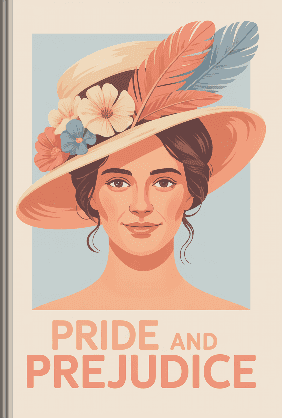
Pride and Prejudice
Jane Austen
 49 Duration
 9 Key Points
 4.5 Rate
True Free Fiction: Indie Authors and Serialized Apps
If you want to read modern, fast-paced fiction, romance, or fantasy, but don't care if the author is traditionally published, indie platforms offer endless hours of entertainment. These apps connect writers directly with readers.
5. Inkitt
Inkitt is a reader-first platform driven by a data algorithm. Authors post their full novels here for free. If a book performs exceptionally well, Inkitt's publishing arm picks it up.
Why it works for budget readers:
Inkitt is one of the few strictly free reading apps no subscription needed. There are no hidden paywalls. The reading experience is ad-free, and you can download chapters for offline reading. The genres heavily lean toward romance, fantasy, thriller, and young adult fiction.
Inkitt is one of the few strictly free reading apps no subscription needed. There are no hidden paywalls. The reading experience is ad-free, and you can download chapters for offline reading. The genres heavily lean toward romance, fantasy, thriller, and young adult fiction.
6. Wattpad (With a Warning)
Wattpad is the most famous serialized fiction app in the world. Many massive teen hits (like The Kissing Booth) started here.
The reality of using Wattpad today:
While Wattpad still hosts millions of free stories, they have aggressively pushed their "Paid Stories" and premium subscriptions in recent years. You can absolutely still read books for free on iPhone using Wattpad, but you must be careful to filter your searches for free stories only. Expect to see banner ads unless you pay to remove them.
While Wattpad still hosts millions of free stories, they have aggressively pushed their "Paid Stories" and premium subscriptions in recent years. You can absolutely still read books for free on iPhone using Wattpad, but you must be careful to filter your searches for free stories only. Expect to see banner ads unless you pay to remove them.
7. Standard Ebooks (Browser to Apple Books)
Standard Ebooks is an open-source project that takes plain-text public domain books and gives them professional formatting, beautiful covers, and clean typography. If you hate the ugly formatting often found on older free websites, Standard Ebooks is the solution. Just like Gutenberg, you download the EPUB file via Safari and open it in Apple Books. It feels like reading a premium $10 file from a traditional publisher.
If you are a fan of the gripping, fast-paced contemporary romance that dominates platforms like Wattpad and Inkitt, you will definitely want to check out some of the massive crossover hits that took the publishing world by storm. Readers who love high-stakes emotional drama often devour Colleen Hoover's phenomenally popular novels. Borrowing a digital copy through your library app is a great way to see why her addictive storytelling has captured millions of readers nationwide.
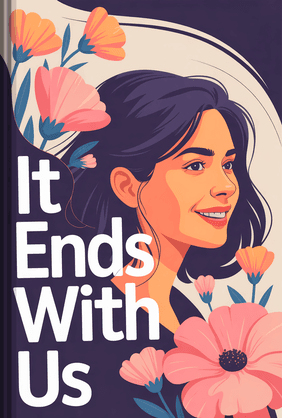
It Ends with Us
Colleen Hoover
37 Duration7 Key Points4.5 RateApps to Avoid: The "Pay-Per-Chapter" Trap

When searching the App Store for "free books," the top results are usually apps like Dreame, Radish, WebNovel, or Galatea.
Do not download these if you want a genuinely free experience.
These apps operate on a "freemium" micro-transaction model. They will give you the first 5 to 10 chapters of a gripping story for free. Right when the plot hits a major cliffhanger, the app demands "coins" to unlock the next chapter. You can sometimes earn a few coins by watching ads, but to finish a 100-chapter book, you often end up spending $20 to $40 in micro-transactions—far more than a standard paperback would cost. If you are on a strict budget, avoid the coin-based economy entirely.
How to Build Your Digital Library on a $0 Budget
If you want to maximize your reading options right now, follow this exact setup:
- Move Apple Books to your home screen. Use this as your primary reading shell.
- Download Libby. Call your local city or county library and ask how to get an e-card. Many US libraries let you sign up online in three minutes using your phone number and zip code.
- Hunt for Out-of-State Library Cards. Several major library systems offer free digital cards to teenagers and young adults across the United States. For example, the Brooklyn Public Library's "Books Unbanned" initiative provides free digital library cards to teens and young adults (ages 13-21) nationwide to fight book bans. This gives you access to a massive Libby catalog.
- Bookmark Standard Ebooks in Safari. Whenever you get an assignment to read a classic for school, download the high-quality EPUB from here instead of buying a physical copy.
By combining the power of a library card with high-quality public domain archives, you can read endlessly without ever pulling out a credit card.
Once your free digital library is set up, you might find the biggest challenge isn't access, but time. For those days when you're too exhausted to start a full novel but still want to work on your personal growth, there's a different approach.
Fits learning into your busy schedule by summarizing bestselling nonfiction books, so you can gain valuable skills on your commute, even when you're too tired for a full read.
LeapAheadBuilding a completely free digital library is just one of the many smart ways to take control of your monthly expenses. If cutting sneaky app subscriptions has inspired you to completely revamp your personal finances, learning how to track your dollars effectively is the next logical step. A practical, guilt-free approach to budgeting can help you fund your bigger life goals—whether that means paying off your student loans early or saving up for a cross-country road trip.
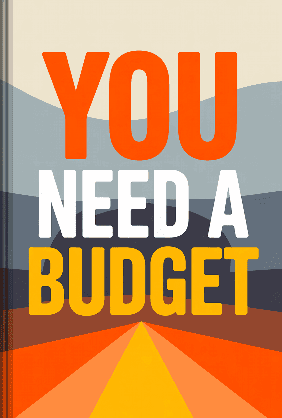
You Need a Budget
Jesse Mecham
16 Duration7 Key Points4.7 RateFAQ
Are these free book apps safe and legal?
Yes. Apps like Libby and Hoopla pay licensing fees to publishers using library funding. Apple Books, Project Gutenberg, and Standard Ebooks distribute public domain works where the copyright has legally expired. They are 100% legal and safe to use.
Yes. Apps like Libby and Hoopla pay licensing fees to publishers using library funding. Apple Books, Project Gutenberg, and Standard Ebooks distribute public domain works where the copyright has legally expired. They are 100% legal and safe to use.
Do I need Wi-Fi to read on these apps?
Only to download the book initially. Libby, Hoopla, and Apple Books all allow you to download the entire ebook file to your iPhone. Once downloaded, you can turn off your data or put your phone in airplane mode and read offline without any issues.
Only to download the book initially. Libby, Hoopla, and Apple Books all allow you to download the entire ebook file to your iPhone. Once downloaded, you can turn off your data or put your phone in airplane mode and read offline without any issues.
Can I get current NYT bestsellers for free?
Yes, but only through library apps like Libby or Hoopla. Because authors and publishers require payment for new releases, the public library system is the only legal avenue that absorbs that cost for you. You may just have to wait in a digital hold line for highly popular new releases.
Yes, but only through library apps like Libby or Hoopla. Because authors and publishers require payment for new releases, the public library system is the only legal avenue that absorbs that cost for you. You may just have to wait in a digital hold line for highly popular new releases.
How do I download free books to my iPhone from websites?
When using sites like Project Gutenberg, choose the "EPUB" file format. When Safari prompts you to download, accept it. Open your iPhone's "Files" app, go to your "Downloads" folder, and tap the EPUB file. Your iPhone will automatically open the file and permanently save it inside the Apple Books app.
When using sites like Project Gutenberg, choose the "EPUB" file format. When Safari prompts you to download, accept it. Open your iPhone's "Files" app, go to your "Downloads" folder, and tap the EPUB file. Your iPhone will automatically open the file and permanently save it inside the Apple Books app.