


Your inbox is overflowing with industry newsletters, 50-page market reports, and endless memos. You have 15 minutes before your next meeting, but the reading pile demands three hours. Trying to read every single word isn't just inefficient; it's a guaranteed path to workplace burnout.
The reality of modern professional life is that most content is padded. Authors wrap a single core insight in hundreds of supporting words, anecdotes, and background context. Your job isn't to respect the author's word count; your job is to extract the value and move on. Learning to bypass the fluff is the most direct way to reclaim your time.
The Anatomy of a Well-Structured Read
Before learning how to skim long articles, you need to understand how professional content is built. Think of an article like a commercial building. You don't need to inspect every brick to understand the floor plan.

Most business and analytical writing follows a predictable inverted pyramid or a highly structured format. The most critical information sits at the top, supported by headers (the steel frame), bullet points (the functional rooms), and concluding summaries (the exit signs). When you align your eye movements with this structural reality, your brain automatically filters out the decorative elements—the anecdotes, the repetitive transitions, and the exhaustive background histories.
You are hunting for nouns, verbs, data points, and actionable takeaways. Everything else is friction.
These principles for deconstructing text aren't limited to articles. They are equally effective for tackling the dense non-fiction books on your reading list.
If you want to dive deeper into the mechanics of how texts are constructed and how to strategically tackle them, How to Read a Book is the ultimate guide. Originally published decades ago, this foundational classic introduced the concept of "inspectional reading"—the academic basis for modern skimming. The authors brilliantly break down how to identify the structural skeleton of any book, report, or essay before committing to a deep read. Understanding these different levels of reading will completely change how you approach complex industry material and save you countless hours of wasted effort.
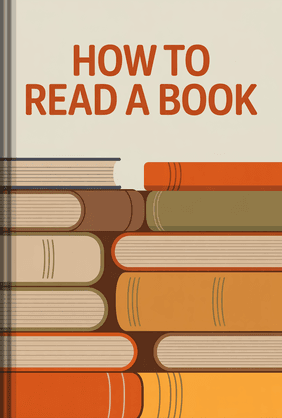
How to Read a Book
Mortimer J. Adler, Charles Van Doren
 18 Duration
 8 Key Points
 4.7 Rate
Understanding these principles is one thing, but finding the time to apply them to the dozens of business books on your reading list is another challenge. If you want to absorb the core lessons from classics like this one and other bestsellers in minutes, not hours, an app can be a game-changer.

LeapAhead

Listen to or read the key insights from bestselling business books in just 15 minutes, perfect for catching up on your reading list during a commute.
How to Skim Long Articles: The 4-Step Framework
If you treat a 5,000-word industry report the same way you treat a novel, you will fail. Here is the exact framework to strip an article down to its bare essentials.
Step 1: The 10-Second Audit
Do not start reading from the first word. Spend your first ten seconds scrolling the entire piece from top to bottom. Look at the H1 title, any executive summary, and the scroll bar's length. This immediate visual audit tells you the scope of the material. If the article is heavily broken up by subheadings and charts, you can tear through it in minutes. If it is a massive wall of text, you will need to rely heavily on paragraph transitions.
Step 2: Read the Skeleton (Headings and Subheadings)
Read every H2 and H3 before you read a single standard paragraph. Headings are the table of contents for the writer's brain. By reading only the bolded subheadings, you force the author to pitch their main arguments to you in outline form. If a specific section's heading is irrelevant to your current project, skip that section entirely. You just saved yourself 500 words of unnecessary reading.
Step 3: Attack the First and Last Sentences
Once you identify a section that holds value, read the first sentence (the topic sentence) and the last sentence (the concluding thought) of its paragraphs. In American business writing, the first sentence almost always introduces the paragraph's core claim. The middle sentences simply provide the evidence. If the first sentence says, "Cloud infrastructure costs rose by 14% in Q3," and you already trust the data source, you do not need to read the five sentences explaining why they rose unless that specific "why" is your core focus.
Step 4: Scan for Visual Anchors
Your eyes should naturally jump to formatting breaks. Bulleted lists, numbered sequences, bolded text, pull quotes, and data tables are visual cheat codes. Authors use these formats because they want to highlight their best points. Let them do the heavy lifting for you. Grab the bullet points and ignore the transitional fluff surrounding them.

Once you master this four-step framework for skimming, you might want to upgrade your actual reading speed for the sections that do require deep focus. Kam Knight’s comprehensive guide offers practical, no-nonsense exercises to train your peripheral vision, reduce eye strain, and stop subvocalization—that little voice in your head reading every single word aloud. It’s an excellent companion skill to structural skimming. By pairing a strategic filtering process with a faster baseline reading speed, you can breeze through necessary paragraphs without sacrificing your overall comprehension.
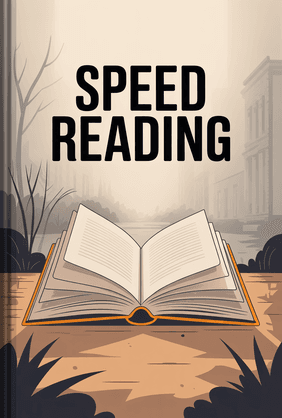
Speed Reading
Kam Knight
44 Duration8 Key Points4.5 RateEfficient Reading Strategies for Different Content Types
Not all texts are created equal. You must adjust your approach based on the specific medium in front of you.
Industry Reports and Whitepapers
These are notoriously dense. Go straight to the Executive Summary. If that gives you what you need, close the PDF. If you need more depth, jump immediately to the Methodology and the Conclusion. Only dive into the middle chapters if you need to challenge a specific data point. Use
Ctrl + F (or Cmd + F on Mac) aggressively to locate specific terms relevant to your department.Daily Newsletters and Substack Articles
Newsletters are designed for engagement, meaning they often start with a lengthy personal anecdote. Scroll past the first three paragraphs. Look for the actual news items, which are usually separated by dividers or bold text. Treat newsletters like a menu—pick the one link or insight you need and discard the rest.
Long-Form Web Content
Web articles rely heavily on SEO formatting, meaning they will have a clear hierarchy of headings and often an FAQ section at the bottom. Start by reading the introduction to ensure the topic aligns with your needs, then scroll through the H2s. If the site has a "Table of Contents" block at the top, click directly to the section that solves your immediate problem.
The strategies for navigating different content types often blur the lines between two key techniques: skimming for a general overview and scanning for specific details. Understanding the distinction is crucial for maximum efficiency.
Processing Information Faster: Common Traps to Avoid
Many professionals confuse moving their eyes faster with actual speed reading. This leads to poor retention and costly mistakes.
Skipping the Conclusion
Never skip the final paragraph. Authors usually drop their guard in the conclusion and state exactly what they want you to take away. If you only read the introduction and the conclusion, you will often grasp 80% of the value.
Never skip the final paragraph. Authors usually drop their guard in the conclusion and state exactly what they want you to take away. If you only read the introduction and the conclusion, you will often grasp 80% of the value.
Treating Skimming as a Speed Contest
Skim reading articles is not about clocking the highest words-per-minute. It is a prioritization exercise. If you scan a paragraph and realize it contains vital technical specifications for your software deployment, hit the brakes. Read that specific paragraph twice. Skim the filler; read the substance.

Skim reading articles is not about clocking the highest words-per-minute. It is a prioritization exercise. If you scan a paragraph and realize it contains vital technical specifications for your software deployment, hit the brakes. Read that specific paragraph twice. Skim the filler; read the substance.
Ignoring the Source Context
Before you apply these efficient reading strategies, check the date and the author. If you are skimming a piece on financial compliance from 2019, you are wasting your time regardless of your speed. Establish credibility before you spend even two minutes on the text.
Before you apply these efficient reading strategies, check the date and the author. If you are skimming a piece on financial compliance from 2019, you are wasting your time regardless of your speed. Establish credibility before you spend even two minutes on the text.
The biggest fear professionals have when they transition from traditional reading to strategic skimming is that they won't remember the information. If long-term retention is a priority for your career, you need to understand how the human brain actually encodes and retrieves new data. Make It Stick dives fascinatingly into the cognitive science of learning and memory. It explains why passively re-reading text creates a false illusion of mastery, and shows how techniques like active recall can help you permanently lock in the crucial insights you just extracted from a lengthy whitepaper.
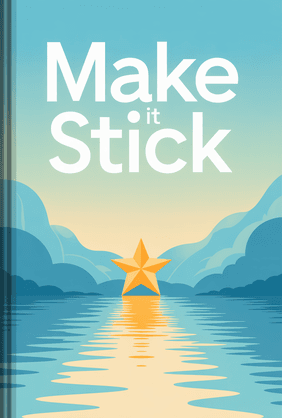
Make It Stick
Peter C. Brown, Mark A. McDaniel, Ph.D., Henry L. Roediger III, Ph.D.
18 Duration8 Key Points4.6 RateOptimize Your Environment for Speed Reading at Work
Your physical and digital environment dictates your reading efficiency. Reading off a cluttered screen with Slack notifications popping up every ten seconds destroys the focus required for strategic scanning.
Declutter the Screen
Use browser extensions or native reader modes (like Apple's Safari Reader) to strip away ads, sidebars, and pop-ups. A clean, centered column of text forces your eyes into a straight vertical path, which is significantly faster to scan than a wide page filled with visual distractions.
Use browser extensions or native reader modes (like Apple's Safari Reader) to strip away ads, sidebars, and pop-ups. A clean, centered column of text forces your eyes into a straight vertical path, which is significantly faster to scan than a wide page filled with visual distractions.
Leverage Text-to-Speech as a Pacer
If you find your eyes wandering, use tools to dictate the pace. Apps like Audible or native text-to-speech features on your phone can read the article at 1.5x or 2.0x speed. Follow along with your eyes as the audio plays. This forces you to keep moving and prevents the habit of re-reading the same sentence three times.
If you find your eyes wandering, use tools to dictate the pace. Apps like Audible or native text-to-speech features on your phone can read the article at 1.5x or 2.0x speed. Follow along with your eyes as the audio plays. This forces you to keep moving and prevents the habit of re-reading the same sentence three times.
Organize Your Reading Queue
Do not skim read articles the second they hit your inbox. Context switching kills productivity. Instead, route long articles, whitepapers, and reports into an app like Pocket or Instapaper. Block out 30 minutes in the late afternoon to process the entire queue at once using your new skimming framework.
Do not skim read articles the second they hit your inbox. Context switching kills productivity. Instead, route long articles, whitepapers, and reports into an app like Pocket or Instapaper. Block out 30 minutes in the late afternoon to process the entire queue at once using your new skimming framework.
Setting up a clean, distraction-free digital environment is only half the battle; the other half is training your mind to actually sustain that focus. If you find yourself constantly derailed by Slack pings or the urge to check your phone while processing your reading queue, Hyperfocus is a tremendous resource. Chris Bailey provides actionable, research-backed strategies to manage your attention span in an increasingly noisy corporate workplace. His methods ensure that when you sit down for your dedicated 30-minute reading block, your brain is fully locked into the task at hand.
Hyperfocus
Chris Bailey
17 Duration7 Key Points4.6 RateBy combining these strategies, you can create a powerful system for staying informed without the overwhelm. And for those essential business books you still can't find the time for, a microlearning app can help you get the key takeaways on the go.
LeapAhead
Turn your commute or workout into a productive learning session by absorbing the core ideas of must-read books in audio or text format.
FAQ
Is it possible to retain deep knowledge while skim reading articles?
Yes, but you must actively engage with the material. Retention drops if you zone out while scanning. By actively hunting for topic sentences and bolded concepts, you actually improve your focus. You retain the framework and the core data points, which is usually all that matters for business applications.
Yes, but you must actively engage with the material. Retention drops if you zone out while scanning. By actively hunting for topic sentences and bolded concepts, you actually improve your focus. You retain the framework and the core data points, which is usually all that matters for business applications.
Can I skim read complex technical documentation or legal contracts?
You can use skimming to locate the specific clauses or code blocks you need, but you should never skim the actual execution steps or legal terms. Skim to navigate the document, but switch to deep, careful reading when you hit the critical sections.
You can use skimming to locate the specific clauses or code blocks you need, but you should never skim the actual execution steps or legal terms. Skim to navigate the document, but switch to deep, careful reading when you hit the critical sections.
What is the difference between skimming and scanning?
Skimming is reading strategically to get the general overview and main ideas of an article. Scanning is hunting for a highly specific piece of information—like a name, a date, or a metric—while ignoring absolutely everything else.
Skimming is reading strategically to get the general overview and main ideas of an article. Scanning is hunting for a highly specific piece of information—like a name, a date, or a metric—while ignoring absolutely everything else.
How do I know when to stop skimming and start deep reading?
Stop skimming when you encounter information that directly answers your core problem, challenges a deeply held assumption, or contains instructions you must physically execute. If the text shifts from general industry commentary to a specific operational breakdown, slow down and read the details.
Stop skimming when you encounter information that directly answers your core problem, challenges a deeply held assumption, or contains instructions you must physically execute. If the text shifts from general industry commentary to a specific operational breakdown, slow down and read the details.